

The Agent
The flexplane agent is a lightweight daemon that runs on every Proxmox node in your infrastructure. It is the bridge between the orchestrator and Proxmox, handling image management, network routing, edge gateways, and authenticated API access.
Understand the agent's role
The agent serves five core functions:
- Authenticating proxy: swaps mesh-level implicit authentication for explicit Proxmox API tokens
- Image management: downloads, verifies, and caches VM images
- Routing and edge gateways: manages network routing and gateway services on the node
- Node bootstrap: handles initial setup when a node joins the platform
- Self-updates: pulls and applies new agent versions via knockknock
The agent is the only flex.plane component installed directly on your Proxmox hosts. It runs as a systemd service and communicates with the orchestrator via gRPC over the encrypted WireGuard mesh network. It does not expose any ports on the node's public network interfaces.
Manage VM images
When a VM is created with an image that is not yet cached on the target node, the agent handles the download:
- The orchestrator tells the agent which image is needed, providing the download URL and checksum file URL from the image catalog.
- The agent downloads the image file to the node's image storage pool.
- The agent verifies the checksum to ensure integrity.
- The image is now cached locally and available for VM creation.
Subsequent VMs using the same image on the same node skip the download step entirely. Each node maintains its own image cache independently. There is no shared image storage between nodes.
Handle routing and edge gateways
The agent manages network-level services on its host node:
Network routing
The agent configures routing rules on the Proxmox node to enable traffic flow between virtual networks and external networks. This includes setting up iptables rules and routes for VDC network isolation.
Edge gateways
When a VDC has an edge gateway, the agent manages the gateway VM on the node where it is deployed. The edge gateway provides:
- NAT for outbound connectivity from VDC networks
- Stateful firewall with configurable rules and default policies
- Service exposure for making internal services accessible from outside the VDC
The orchestrator sends gateway configuration changes to the agent over the mesh, and the agent applies them to the gateway VM.
Act as an authenticating proxy
This is the agent's most critical function. The orchestrator needs to make Proxmox API calls to manage VMs, but rather than storing Proxmox credentials in the orchestrator, the agent handles authentication transparently.
The agent swaps the mesh-level implicit authentication for explicit Proxmox API tokens. Here is how it works:
- The orchestrator sends a Proxmox API request to the agent via gRPC over the WireGuard mesh. The request contains no authentication headers.
- The agent receives the request, injects the appropriate Proxmox API token headers, and forwards it to the local Proxmox API (port 8006).
- Proxmox processes the request and returns the response.
- The agent relays the response back to the orchestrator.
This design means:
- Proxmox credentials never leave the node. They are stored only in the agent's configuration file on the Proxmox host.
- The orchestrator does not need Proxmox credentials. The mesh identity proves the request came from the orchestrator; the agent then attaches the local Proxmox API credentials.
- The mesh network is the trust boundary. Only nodes that have joined the mesh with a valid token can communicate with agents.
Bootstrap new nodes
When a new Proxmox node joins the platform, the agent handles the bootstrap process:
- The installer places the agent binary and configuration on the node.
- The agent uses the join token to register with the mesh network.
- Once connected to the mesh, the agent announces itself to the orchestrator.
- The orchestrator detects the new node and adds it to the appropriate zone based on its Proxmox cluster membership.
The entire process takes a few seconds after the agent starts. No manual registration step is needed beyond running the installer.
Keep agents updated
The agent reports its current version to the orchestrator. When a new version is available, the portal shows the update availability on the Hosts page.
You can update agents directly from the portal. Navigate to Infrastructure > Hosts, find the host with an available update, and click on the version number to trigger the update.
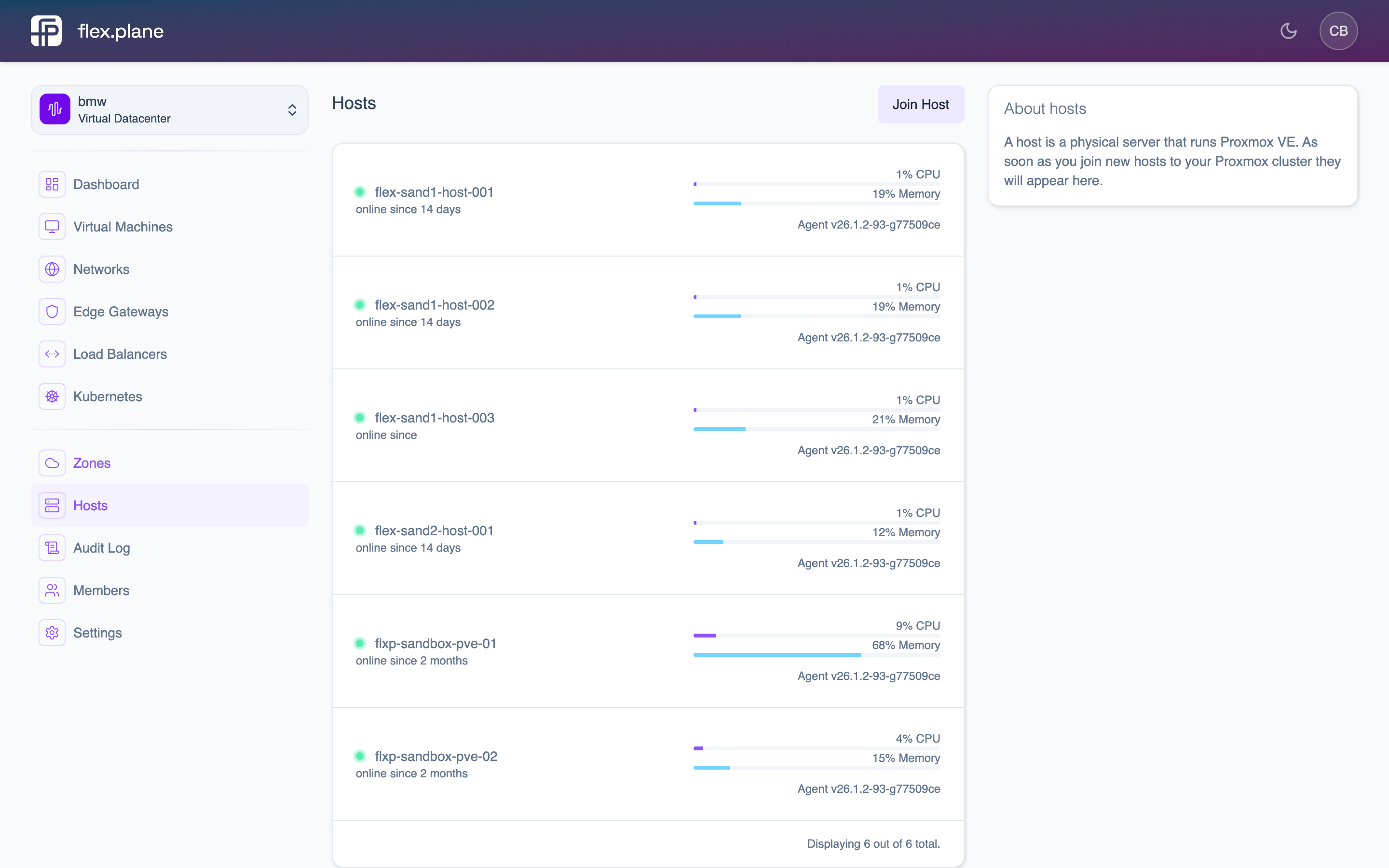 Click the agent version on any host to see available updates and trigger an upgrade.
The agent handles its own update process:
- Downloads the new binary from the container registry.
- Replaces itself with the new version.
- Restarts the systemd service.
The agent's configuration lives at /etc/default/flexplane-agent and is typically set once during installation. It persists across agent updates.
Stateless Orchestrator
flex.plane has no database. The orchestrator derives all state from Proxmox, Kubernetes, and Zitadel at request time. No state drift, no migrations, zero-downtime restarts.
Dynamic Resource Scheduling
Automatic VM placement across Proxmox cluster nodes based on available memory. The DRS scheduler queries node resources at decision time, filters out offline or overloaded hosts, and selects the best fit.