

Virtual Datacenters
Virtual Datacenters (VDCs) are flex.plane's multi-tenancy primitive. They provide logical isolation between groups of users and resources, each with its own quotas, networks, and access controls. If you're a cloud service provider running Proxmox and need to isolate customer environments, or an enterprise separating workloads by team, VDCs are how you do it. Think of them as the equivalent of VMware vCloud Director organizations or OpenStack projects, without the operational overhead.
Understand the VDC model
A VDC is a logical boundary within a flex.plane tenant. Think of it as a "workspace" that isolates one team or customer from another. Inside a VDC, users see only the resources that belong to that VDC: their VMs, their networks, their members.
VDCs are the primary isolation mechanism for CSPs serving multiple customers, MSPs managing client environments, and enterprise teams separating workloads by department or project.
Scope resources to a VDC
All resource-level API operations in flex.plane are VDC-aware. The VDC context is passed via the FlexPlane-VDC-ID HTTP header, not as a field in the GraphQL schema. This keeps the API clean and makes scoping transparent.
When the header is present, queries return only resources belonging to that VDC:
# List VMs in the "production" VDC
curl -X POST https://flexplane.example.com/graphql \
  -H "Authorization: Bearer $TOKEN" \
  -H "FlexPlane-VDC-ID: production" \
  -d '{"query": "{ vms { id name status } }"}'
When the header is absent, operations run in tenant-wide context, visible to users with global roles (USER, ADMIN).
In the portal, you select the active VDC from the VDC switcher in the sidebar. Every page and query is automatically scoped to the selected VDC.
Enforce resource quotas
Each VDC can have resource quotas that limit the total vCPUs and memory available. Set quotas when creating the VDC or update them later.
When a user in a VDC tries to create or scale a VM that would exceed the quota, the operation is rejected. This prevents any single VDC from consuming all available resources.
Manage access within a VDC
Each VDC has its own member list with two roles:
| Role | Capabilities |
|---|---|
VDC_USER | View and manage VMs, networks, and other resources within the VDC |
VDC_ADMIN | Everything a VDC_USER can do, plus manage members, firewall rules, and VDC settings |
To manage members, navigate to the Members page within a VDC. Here you can add new members, change roles, and remove access.
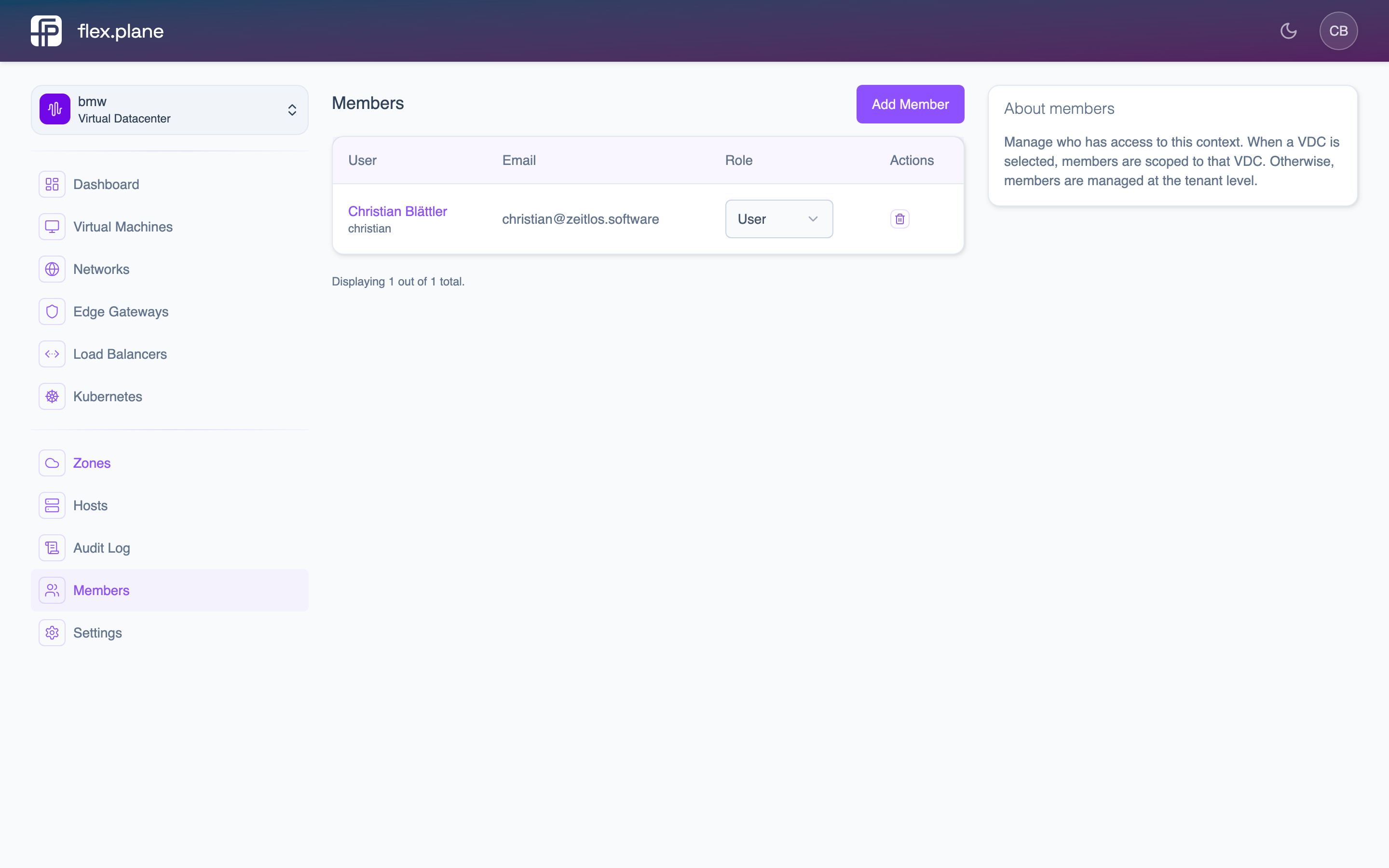 The Members page lists all users in the VDC with their role and email.
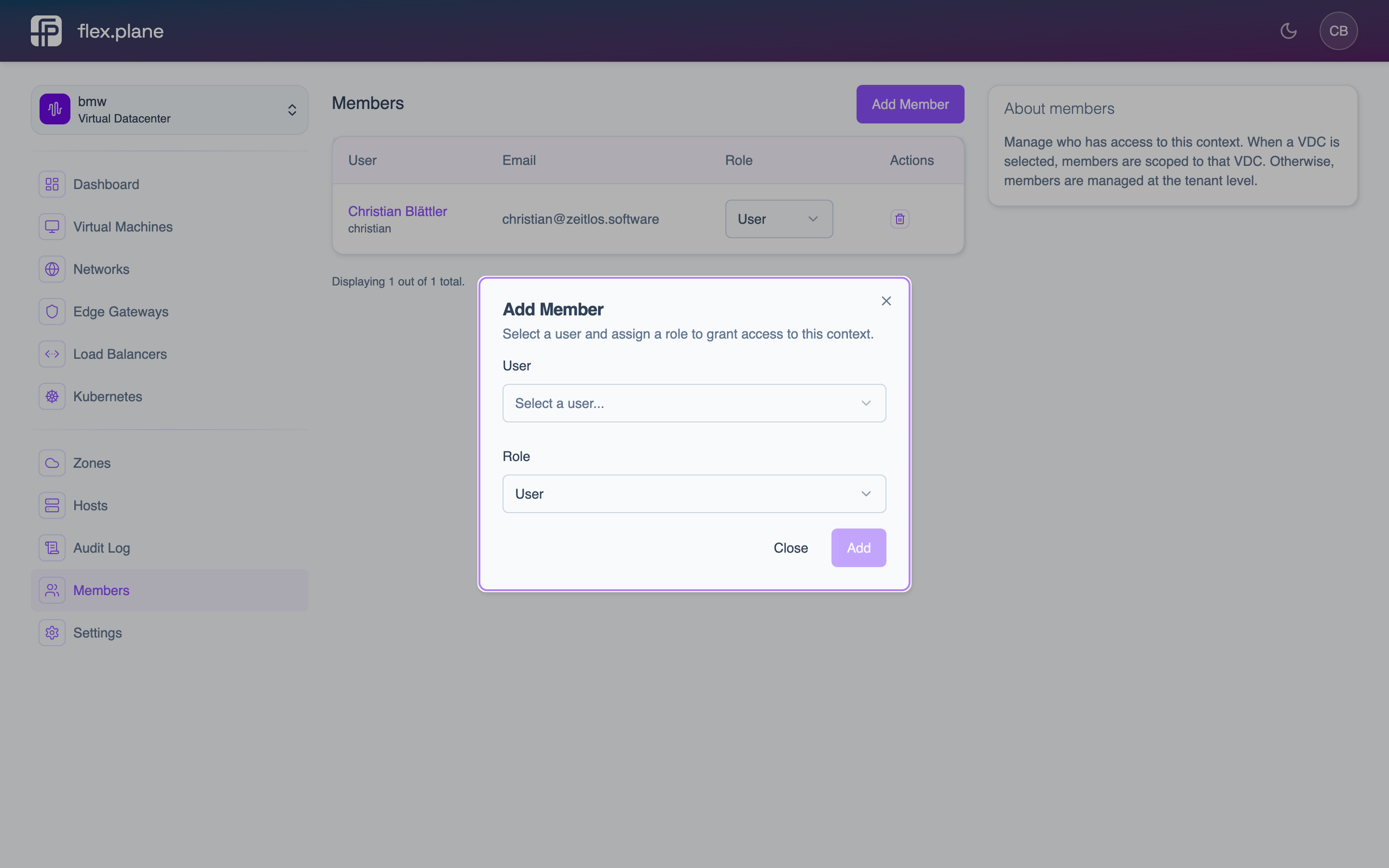 Add a member by selecting a user and assigning a role.
Switch between VDCs
A user can be a member of multiple VDCs. In the portal, the VDC switcher in the sidebar lets you move between them. Each VDC has its own view of resources.
Via the API, you switch context by changing the FlexPlane-VDC-ID header. The virtualDatacenters query returns all VDCs the authenticated user has access to, regardless of which VDC is currently selected.
VDCs integrate with other flex.plane concepts: roles and permissions control who can access each VDC, zones and hosts determine where VDC resources are provisioned, and compute profiles standardize the VM sizes available to VDC users.
Dynamic Resource Scheduling
Automatic VM placement across Proxmox cluster nodes based on available memory. The DRS scheduler queries node resources at decision time, filters out offline or overloaded hosts, and selects the best fit.
Zones and Hosts
Zones map to Proxmox clusters and define failure domains. Hosts are the physical nodes within a zone, discovered automatically via the mesh overlay network.