

Upgrading
flex.plane upgrades are straightforward. The orchestrator is stateless, the portal is a static frontend, and the agents support self-updates. The only components with persistent state are Zitadel (identity) and Headscale (mesh network keys).
Check the changelog
Before upgrading, review the changelog for the target version. Look for:
- Breaking changes in the GraphQL schema (renamed fields, removed queries, changed input types).
- New required environment variables for the orchestrator or agent.
- Helm value changes: new required fields or deprecated values.
- Agent protocol changes that require agents to be upgraded alongside the orchestrator.
Upgrade the charts
Update the image tags in your Helm values to the target version:
# flextenant values
orchestrator:
  image:
    tag: "<new-commit-hash>"
portal:
  image:
    tag: "<new-commit-hash>"
Then upgrade the Helm release:
helm upgrade flextenant charts/flextenant \
  -n flex-system \
  -f my-flextenant-values.yaml
Kubernetes will perform a rolling update. The new pods start and pass health checks before the old pods are terminated, so there is no downtime.
For the identity chart, upgrade only if you are updating Zitadel itself:
helm upgrade identity charts/identity \
  -n flex-identity \
  -f my-identity-values.yaml
Upgrade the agents
Agents can be upgraded remotely through the API or portal. You do not need to SSH into each node.
Check current versions and trigger the upgrade
Navigate to Platform > Hosts in the portal. Each host shows its current agent version and whether an update is available. Click the Update button on any host with an available update.
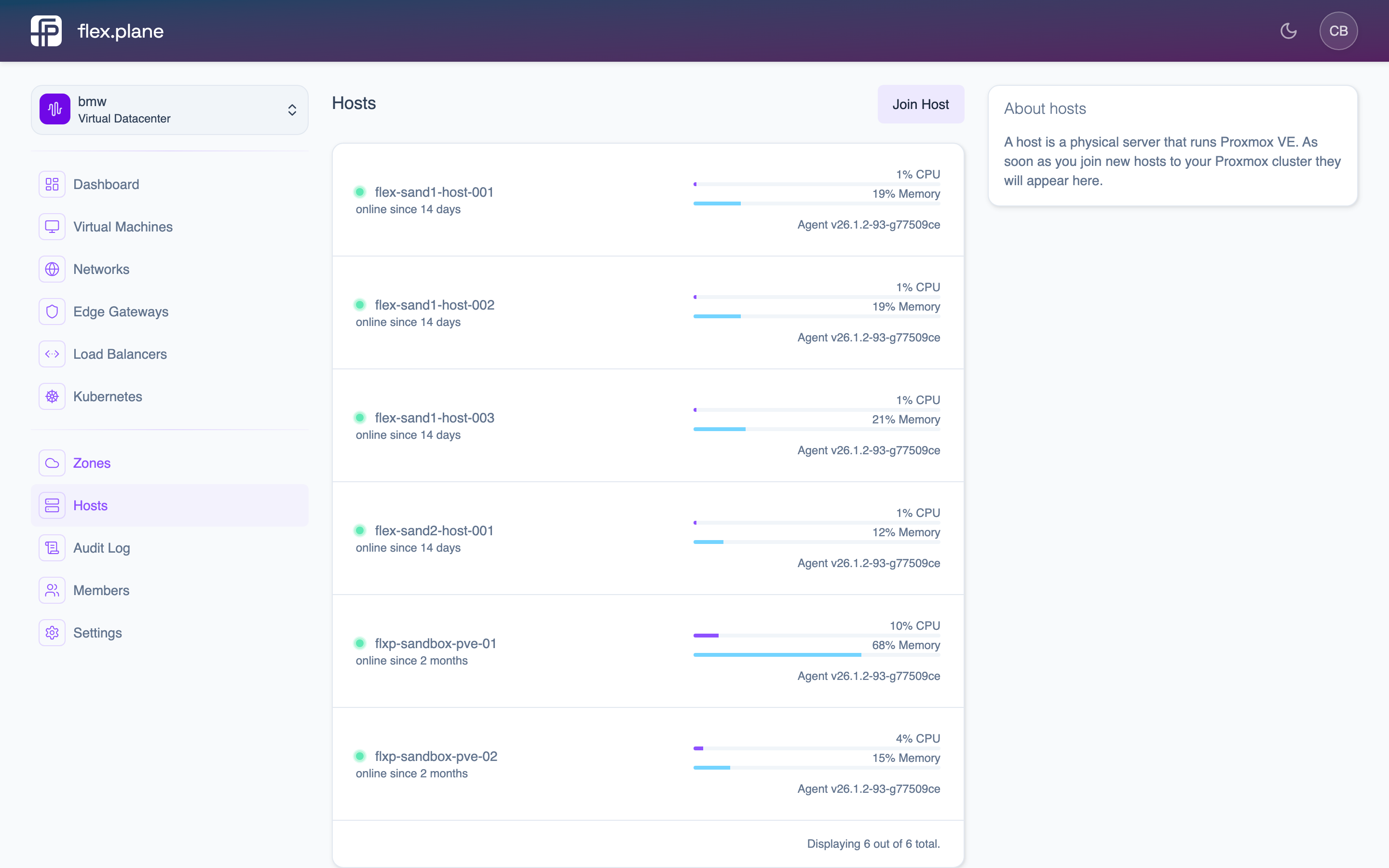 The Hosts page displays agent versions and update availability for each node.
The agent downloads the new binary, replaces itself, and restarts. This is a graceful operation. Active API proxy connections are drained before the restart.
Upgrade order
For a complete platform upgrade, follow this order:
- Identity, if Zitadel itself is being updated.
- Orchestrator and portal, via the flextenant chart.
- Agents, via the
updateAgentmutation, one node at a time. - flexkube / flexgateway, if managed Kubernetes or gateway charts are in use.
Verify the upgrade
After upgrading, run these checks:
- Version check. Confirm the new version is running in the portal or by querying the
tenant { version }field in the GraphQL playground. - Health check. Verify the orchestrator's health endpoints return OK:
curl https://flexplane.example.com/health/ready
curl https://flexplane.example.com/health/live
- Portal access. Log into the portal and verify the dashboard loads. Check that the VDC switcher, VM list, and zone overview all work.
- Agent connectivity. Navigate to Platform > Hosts and verify all hosts are online with the expected agent version.
- Smoke test. Create a test VM, verify it starts, then delete it. This exercises the full stack: API, orchestrator, agent, and Proxmox.