

Create a Kubernetes Cluster
Creating a Kubernetes cluster in flex.plane requires three things: a name, a Kubernetes version, and a system node pool. The platform handles everything else: provisioning VMs, bootstrapping the control plane, joining worker nodes, and setting up Konnectivity tunnels.
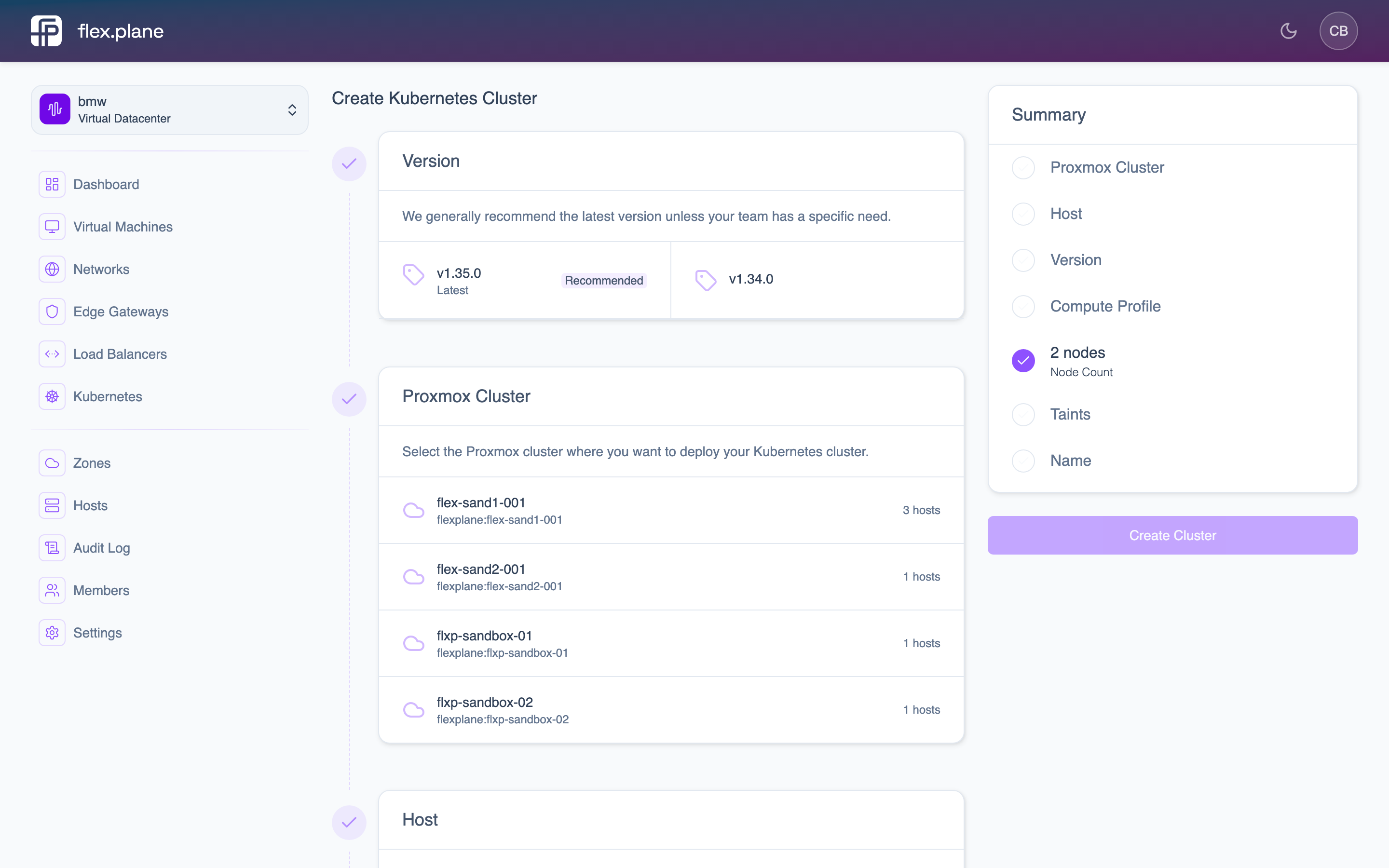 The cluster creation form lets you configure the cluster name, Kubernetes version, zone, and the system node pool.
Choose a Kubernetes version
The cluster creation form lists all available Kubernetes versions. The platform maintains a curated set of tested versions.
Configure the system node pool
Every cluster starts with one node pool named system. It runs the cluster add-ons (CNI, CoreDNS, metrics-server, and friends) as well as your workloads. You configure:
- zone: where the worker VMs are provisioned. Node pools you add later run in this zone too.
- compute profile: the CPU and memory of each node.
- storage profile: the storage used for each node's boot disk.
- size: the number of nodes, between 1 and 10. We recommend at least 2 for high availability.
Once the cluster is up, you can add more node pools, for example a pool of large memory-optimized nodes or a tainted pool reserved for specific workloads.
Launch the cluster
Fill in the cluster name, select a Kubernetes version, and configure the system node pool in the creation form. Click Create to start provisioning.
After creation, the cluster goes through several states:
- Provisioning: the control plane is being deployed on the management cluster and worker VMs are being created.
- Ready: the control plane is up and the API server is reachable.
- Running: all requested worker nodes have joined and are ready to schedule pods.
You can monitor progress from the Kubernetes cluster list and detail pages.
 The Kubernetes list shows all clusters with their version, status, and node pool health.