

Image Catalog
The image catalog is flex.plane's registry of cloud-init compatible OS images available for creating VMs. Similar to OpenStack Glance or vSphere content libraries, it defines which images users can choose from and where to download them.
Understand the catalog
The image catalog is a list of VM images, each with:
- Name and version: e.g., "Ubuntu 24.04", "Debian 12", "Rocky Linux 9"
- Download URL: where the cloud image file can be fetched from (per architecture)
- Checksum file URL: for verifying image integrity after download
Navigate to Platform > Image Catalog to view and manage available images.
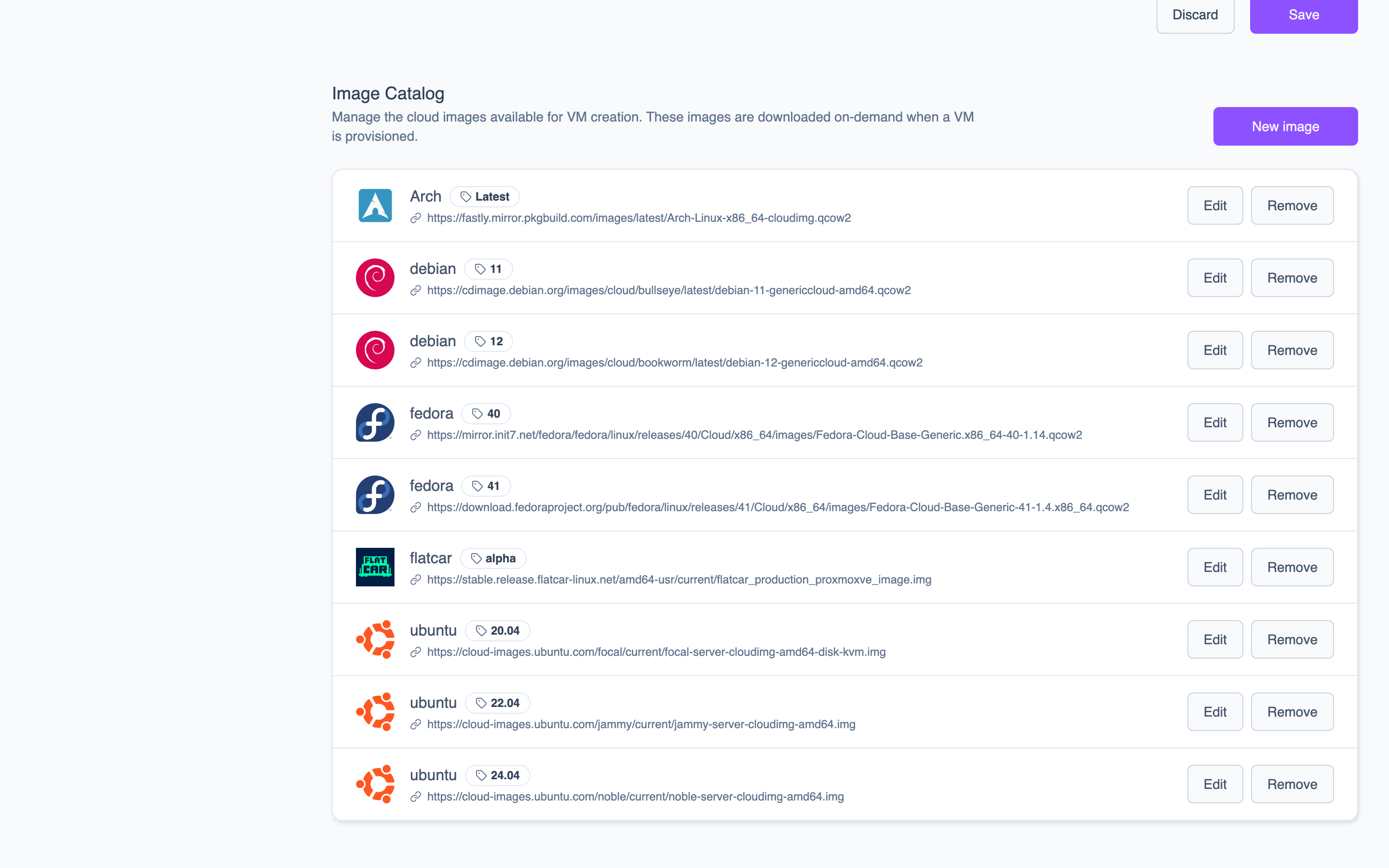 The Image Catalog lists all available OS images with their name, version, and download URL.
Images in the catalog are references, not the actual disk files. The catalog entry tells flex.plane where to find the image. The actual download and caching happens on the Proxmox nodes when the image is needed.
The catalog is stored in a Kubernetes ConfigMap on the management cluster. It is tenant-wide, so all zones and VDCs see the same catalog.
Add images to the catalog
Add an image using a cloud image URL. Most Linux distributions publish cloud-ready images in qcow2 or raw format. On the Image Catalog page, click Add Image and provide:
- Name and version: e.g., "Ubuntu" / "24.04"
- Source URL (per architecture): the cloud image download URL
- Checksum file URL: for verifying image integrity
Common sources:
- Ubuntu:
https://cloud-images.ubuntu.com/noble/current/noble-server-cloudimg-amd64.img - Debian:
https://cloud.debian.org/images/cloud/bookworm/latest/debian-12-generic-amd64.qcow2
You can also update existing images when new point releases become available, or remove images that are no longer needed.
Distribute images across zones
When a VM is created with a particular image, the agent on the target node checks whether the image is already cached locally. If it is not, the agent downloads it from the URL specified in the catalog, verifies the checksum, and stores it in the node's image storage pool.
This lazy download approach means:
- First VM creation with a new image takes longer. The image must be downloaded first. Subsequent VMs on the same node use the cached copy.
- Each node caches independently. If you have 10 nodes across 2 zones, the image is downloaded separately on each node when first needed.
- No central image registry required. Images are fetched directly from their upstream source (e.g., cloud-images.ubuntu.com).
The image catalog works hand-in-hand with compute profiles and storage profiles. Together, they define the three choices a user makes when creating a VM: what OS to run, how much compute to allocate, and where to store the disk.
Networking
Virtual networks backed by Proxmox Linux bridges, automatic IP assignment, edge gateways with firewall rules, and a WireGuard-based mesh overlay for secure inter-node communication.
Roles and Permissions
A five-role RBAC model enforced through OIDC token claims from Zitadel. Tenant-wide and VDC-scoped roles control access to VMs, networks, clusters, and platform administration.