

Manage Hosts
Hosts are the individual Proxmox nodes that make up your zones. Each host runs the flexplane-agent, which connects it to the mesh network and acts as an authenticating proxy for the Proxmox API. The hosts view gives you visibility into node health, resource utilization, and agent status.
View all hosts
Navigate to Platform > Hosts in the portal. The hosts page lists every node across all zones with their status, resource usage, and agent version.
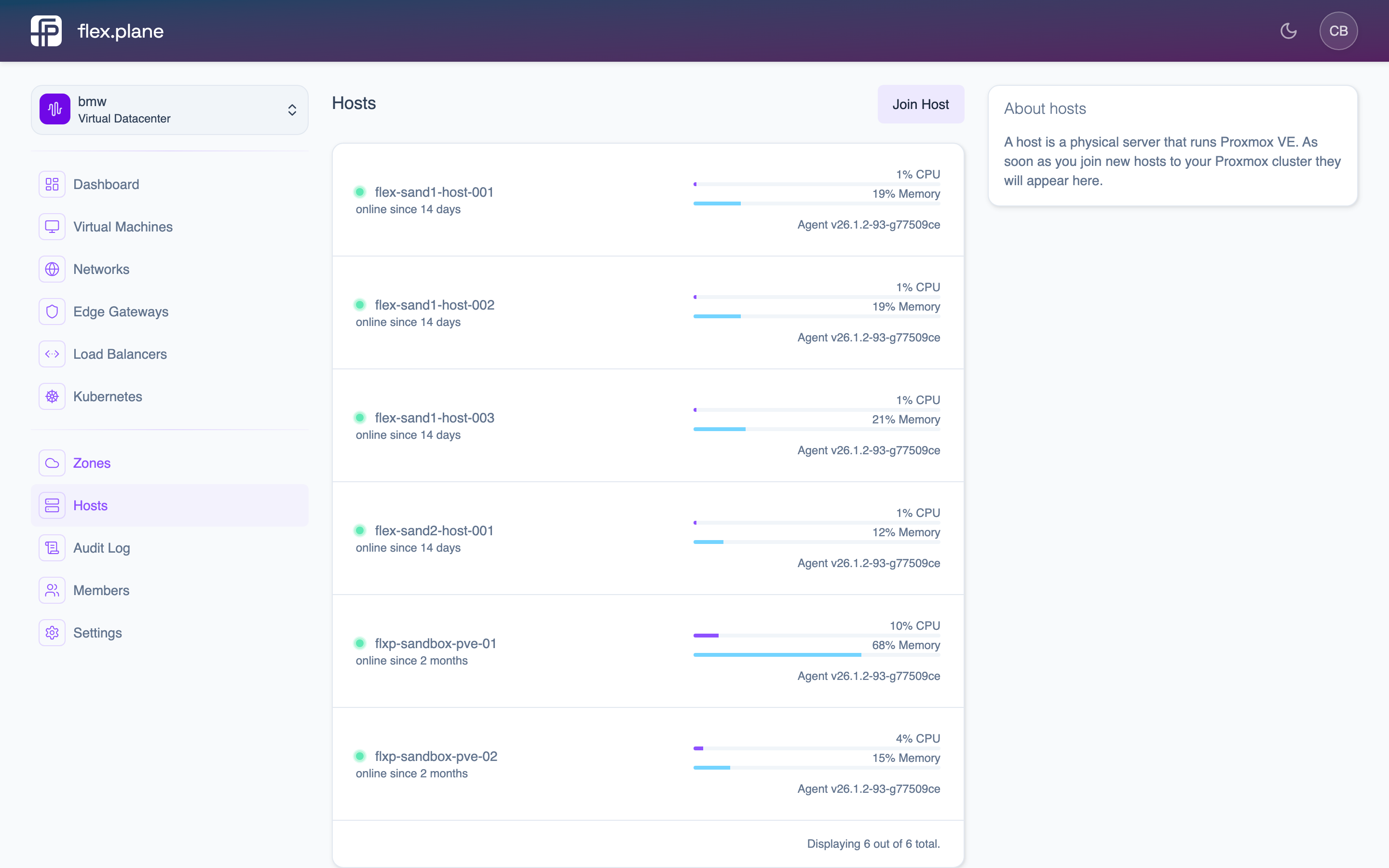 The Hosts page displays all nodes with their status, zone, CPU/memory usage, uptime, and agent version.
| Field | Description |
|---|---|
status | Whether the host is reachable (online / offline). |
uptime | How long the host has been running since last boot. |
zone | The zone (Proxmox cluster) this host belongs to. |
cpu | Number of logical CPU cores. |
cpuUsage | Current CPU utilization as a percentage. |
memory | Total memory. |
memoryUsage | Current memory usage. |
Check agent status
Every host runs the flexplane-agent. The agent field tells you:
version: The currently installed agent version.updateAvailable: Whether a newer version is available.availableVersions: The list of versions you can update to.
If a host shows no agent information (the field is null), the agent is either not installed or not connected to the mesh network. Check that:
- The agent service is running on the node:
systemctl status flexplane-agent - The node has joined the Tailscale/Headscale mesh.
- The node is reachable from the management cluster.
View host details
Click on a host in the list to see its full details, including resource usage, agent version, and the audit log of all operations that ran on it.